
Your numbers
Read your number card
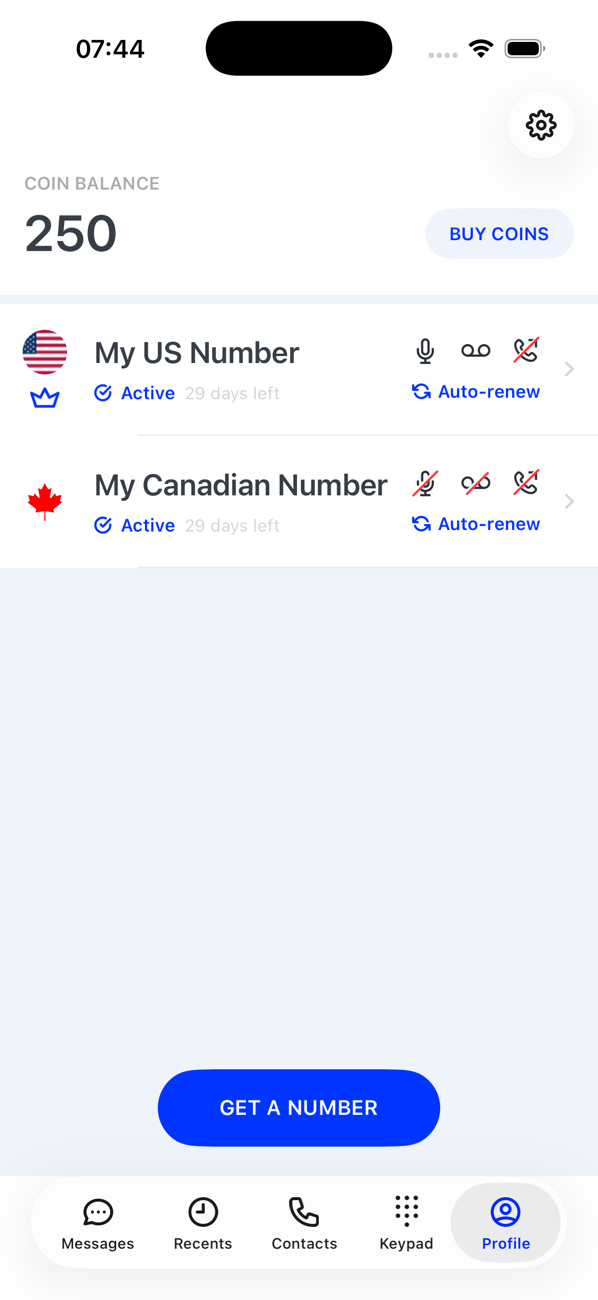
Every number on your Profile is a card: the crown, the status, the days left, Auto-renew, and the voicemail, recording and forwarding icons each tell you something.
Before you start
- At least one number on your Profile
Steps
1Flag, name and crown
The flag is the number's country. The name is the one you gave it (or the number itself). The crown marks your primary number, the one covered by your subscription.
2Status and days left
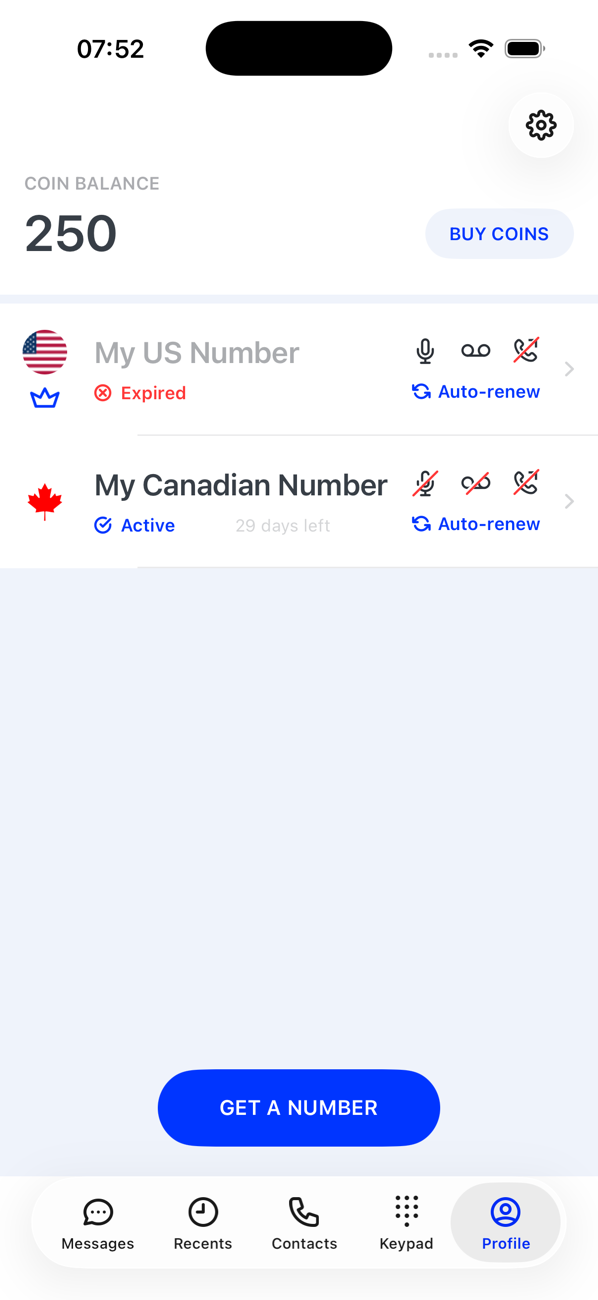
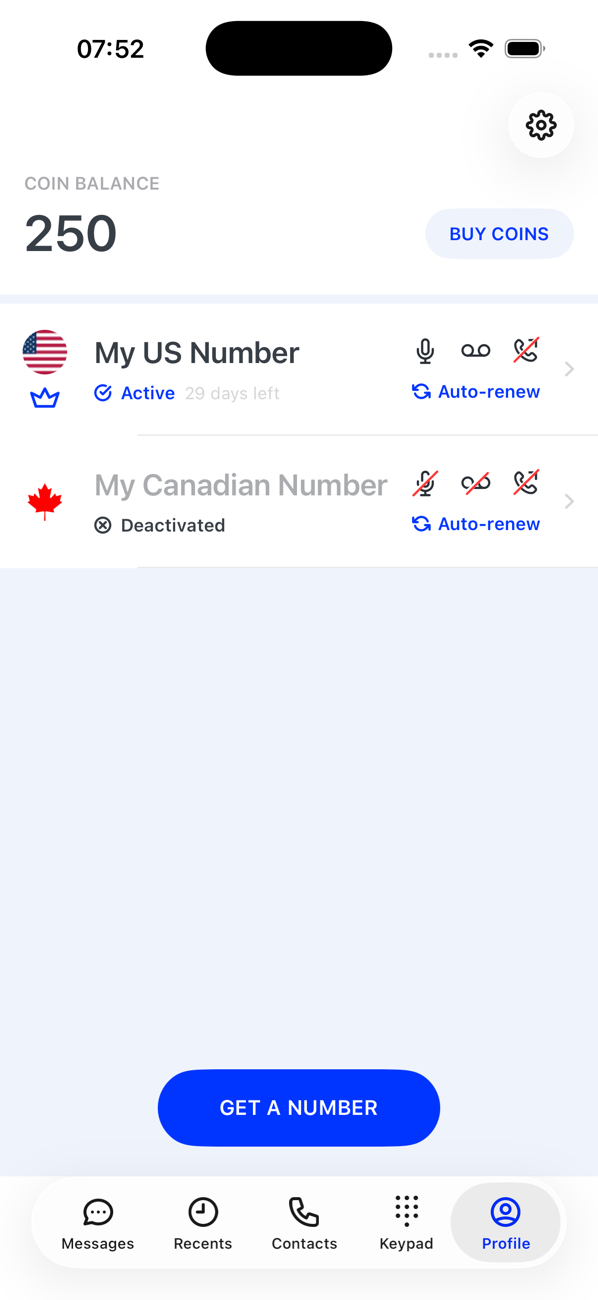
Active means the number works; the small text beside it counts down the days left in the current term. Deactivated means you switched it off. Expired means the subscription or coin term ran out and it needs renewing. Draft means it is waiting for an address.
3Auto-renew
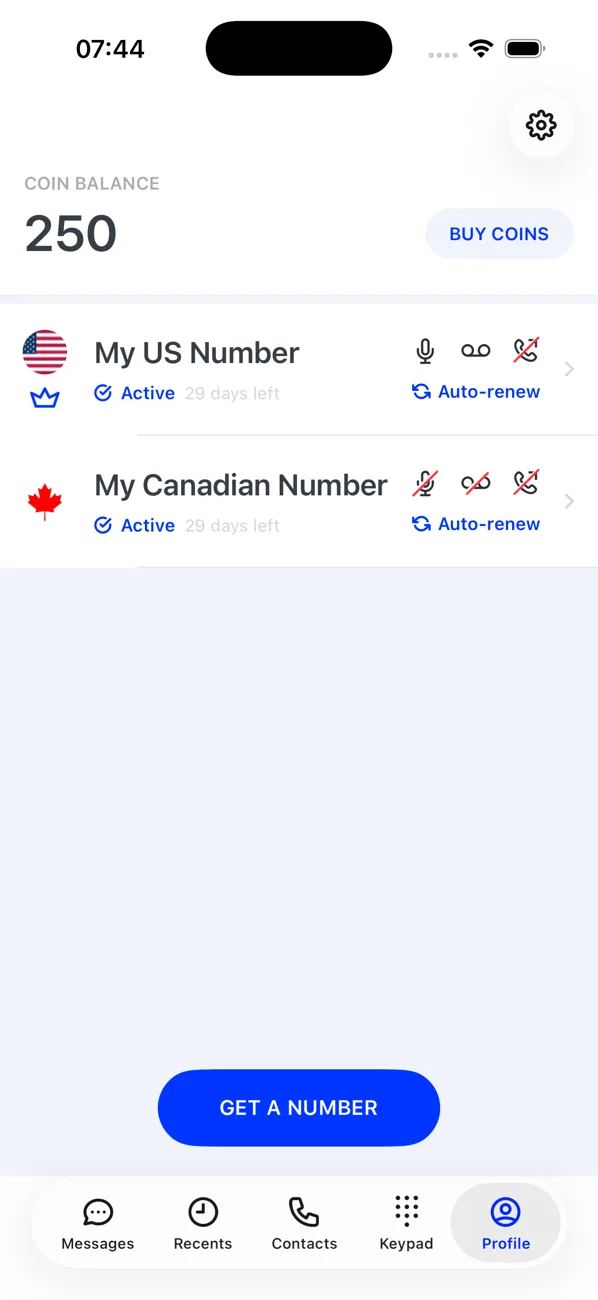
The circular arrows with Auto-renew mean the number renews itself, through your subscription for the primary number or from your coin balance for an extra one. Without it, the number lapses at the end of its term.
4The three small icons
At the right of the card, the voicemail, microphone (call recording) and forwarding icons show each setting's state: solid when on, struck through when off. Tap the card to change them.


Good to know
- Swipe left on a card to deactivate, activate or delete a number without opening it.
- The number badge in the switcher on other tabs shows unread messages and missed calls per number.