
Account and settings
Check prices and track your spending
The Pricing calculator shows what a call or message costs between two countries; Expenses lists every coin added and spent.
Before you start
- A Second Phone account
Steps
1Open Settings
On your Profile tap the settings icon.
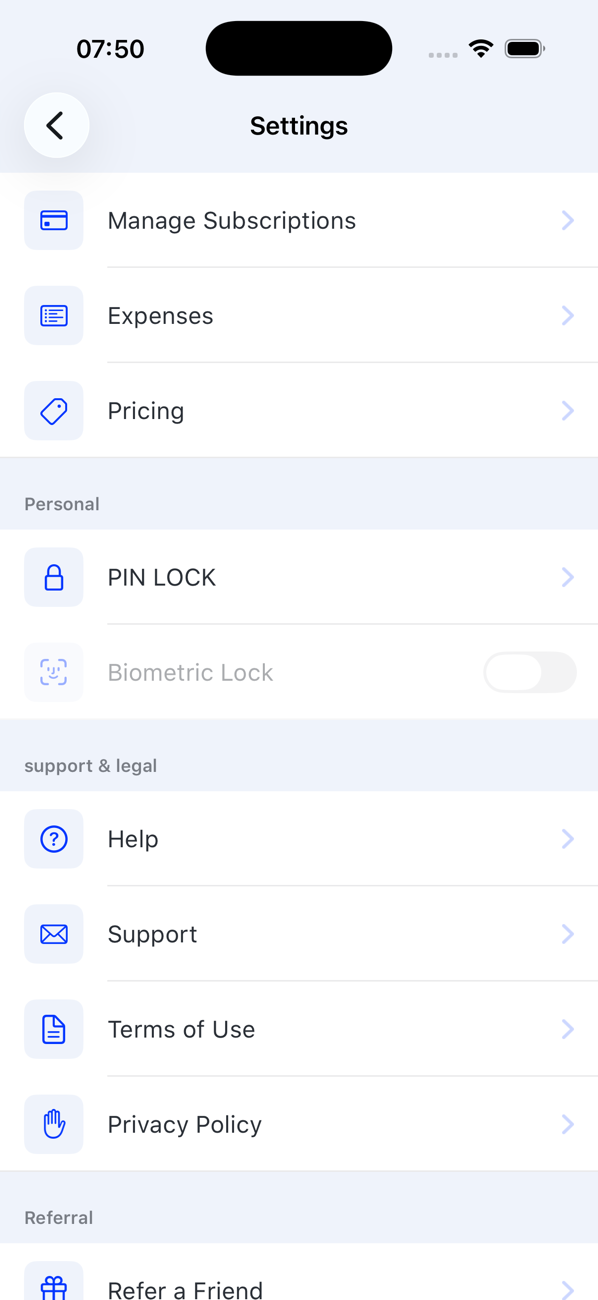
2Check a price
Tap Pricing. Choose the from country (the country of your Second Phone number) and the to country. The screen shows the coins for an outgoing call and an incoming call per minute, and for an Outgoing SMS and an Outgoing MMS. Change either country to compare.
3Review your spending
Back in Settings tap Expenses. Every entry shows the time, the type (a call with its duration, SMS, MMS, Number Purchase, Number Renewed, Subscription Renewed, Coins Purchase) and the coins involved: credits in blue, spending in grey.

Good to know
- Calls are charged per minute, rounded up to the next minute, for both outgoing and incoming calls.
- Receiving SMS is free and never appears as a debit.